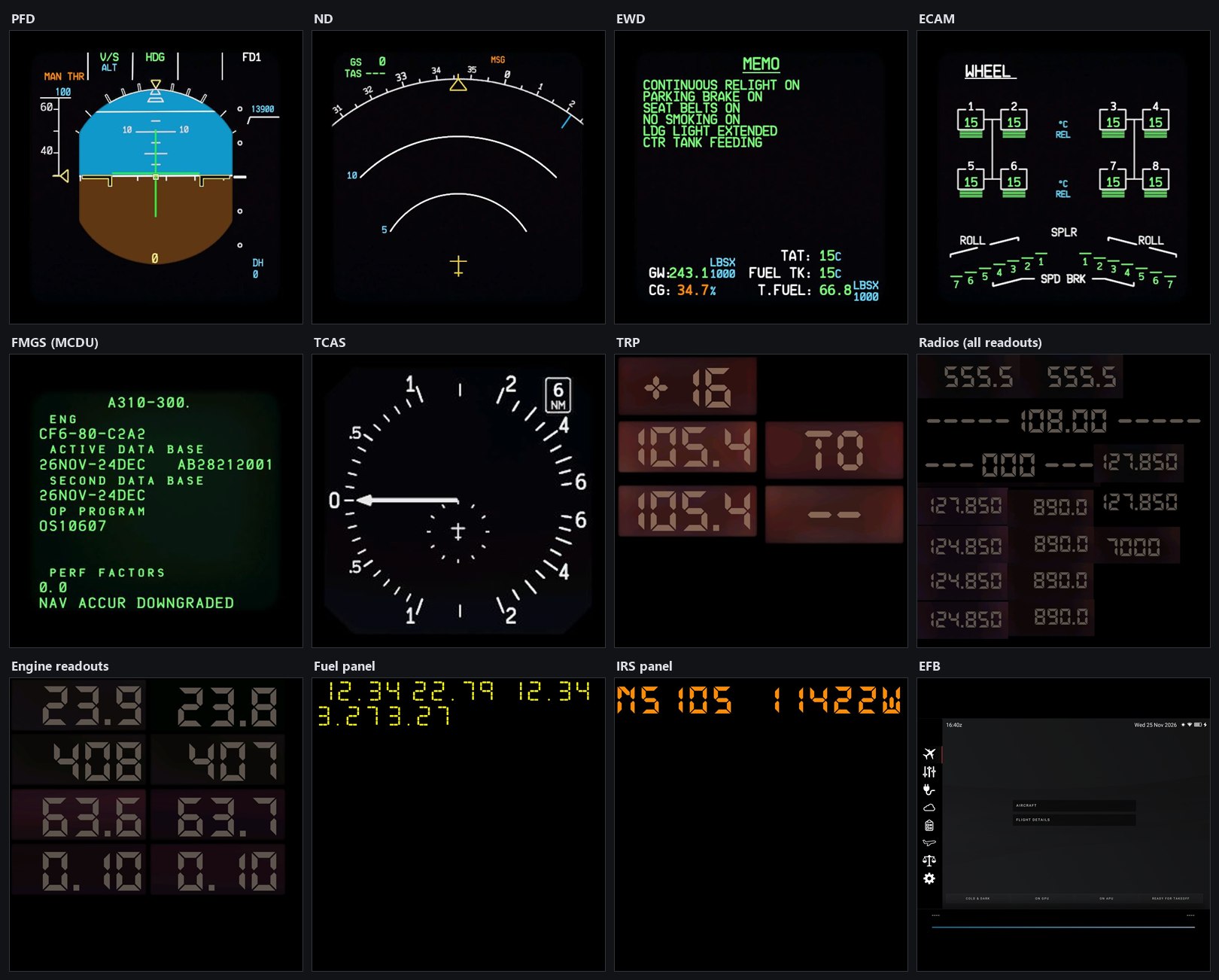
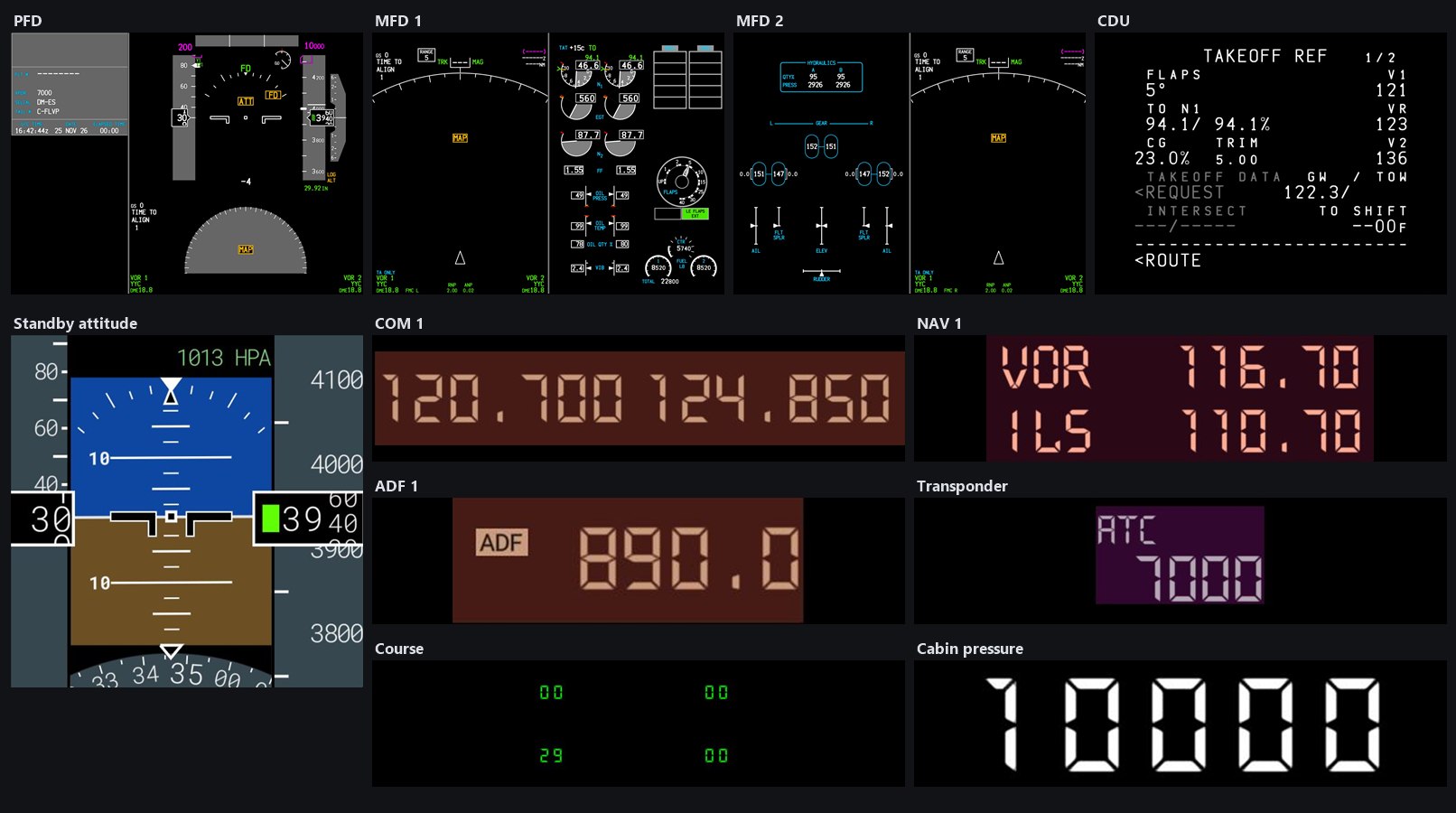
CockpitCast puts the glass displays of MSFS 2024 (PFD, MFD, radios, CDU and more) on extra monitors: on the sim PC itself, or on PCs, Raspberry Pis and tablets on your network. It draws classic steam gauges from live sim data. No pop-outs. No window capture.
Free and open source (GPL-3.0). Windows sim PC; displays on Windows, Linux, Raspberry Pi and macOS. Android and iOS apps are coming later.

Set it up once. After that, your display screens follow whatever aircraft you load.
Displays come straight out of the sim's own DirectX 12 rendering. Nothing to pop out, move or resize, and no monitor on the sim PC given up for it.
Load a glass cockpit and your screens show its PFD and MFD. Load a steam-gauge aircraft and they switch to gauge layouts within seconds.
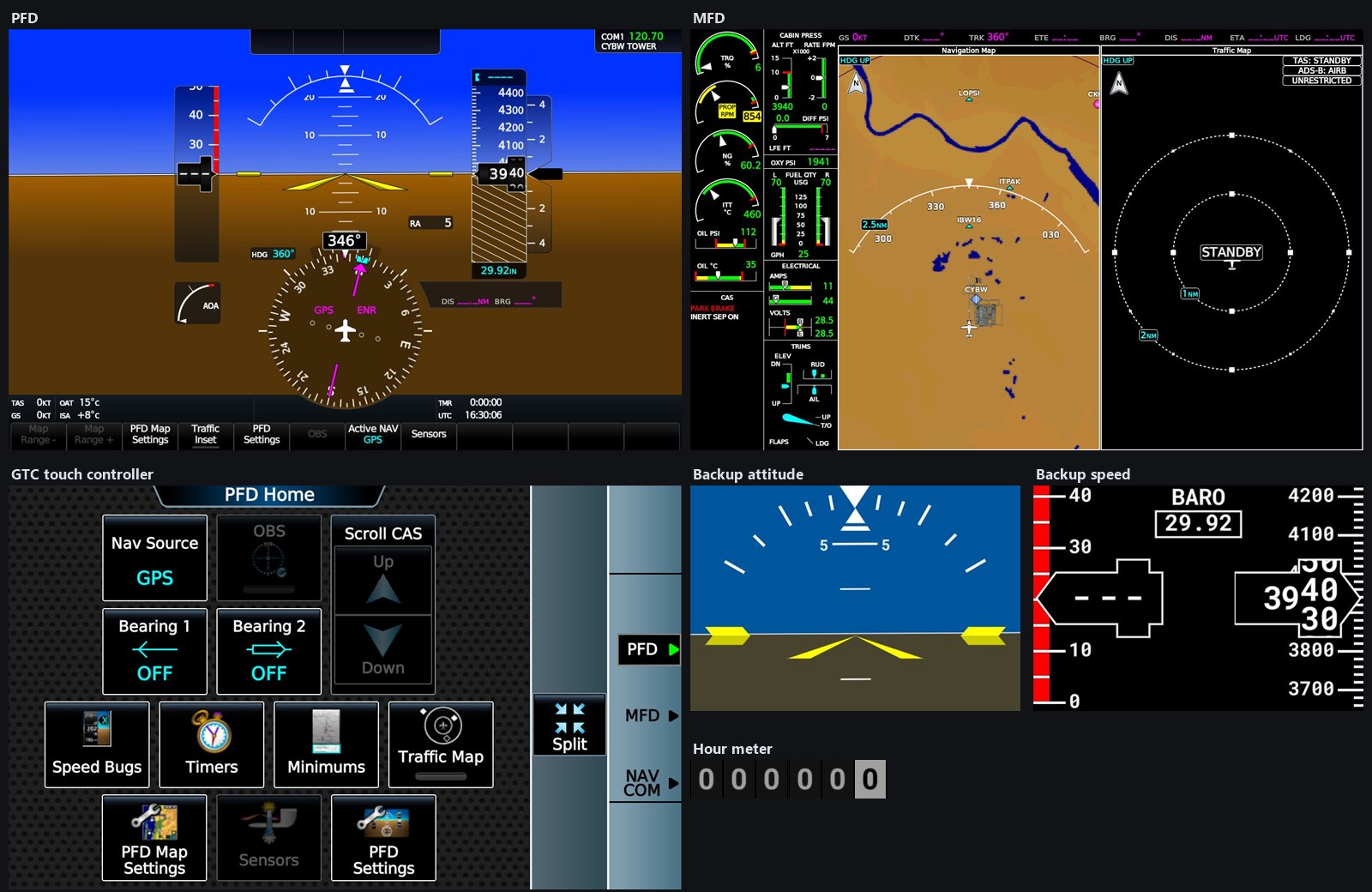
Every display the sim draws becomes available the first time you fly an aircraft: G1000, G3000, airliner screens, radio and autopilot readouts, even the hour meter.
Design layouts in the browser: put a cropped piece of any display, like just the ADF frequency, right next to steam gauges.
Monitors on the sim PC show screens with only the host installed: no extra app, no network, straight from the graphics card. Two screens can share one monitor, side by side.
Old mini PCs and Raspberry Pis. The display app finds the sim PC by itself, starts full screen and needs no keyboard.
Only what your screens show is captured. Nothing watched means nothing captured, and the sim's memory is left alone.
One click on the sim PC installs a new version there and on every Windows display PC. No new installers to download.
Give any aircraft its own layout on any screen, like a TBM panel on screen 2. The rest keep switching by themselves.
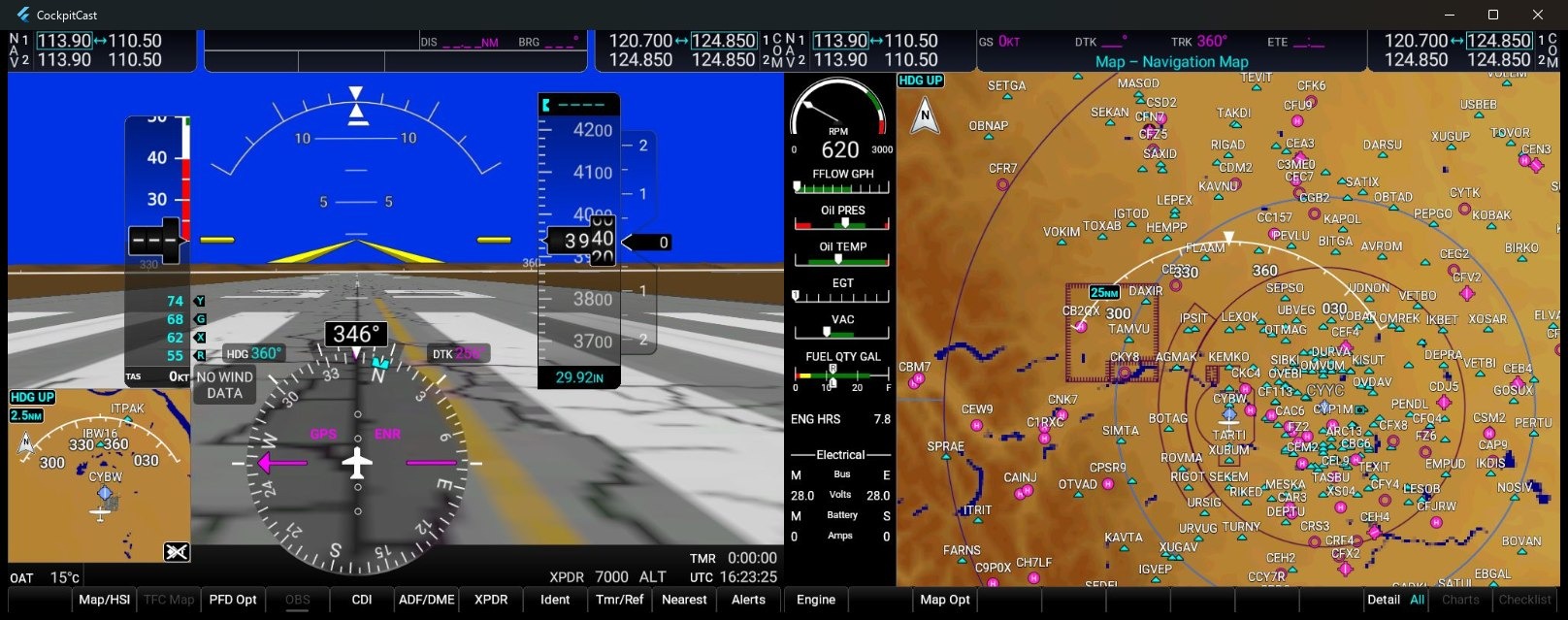
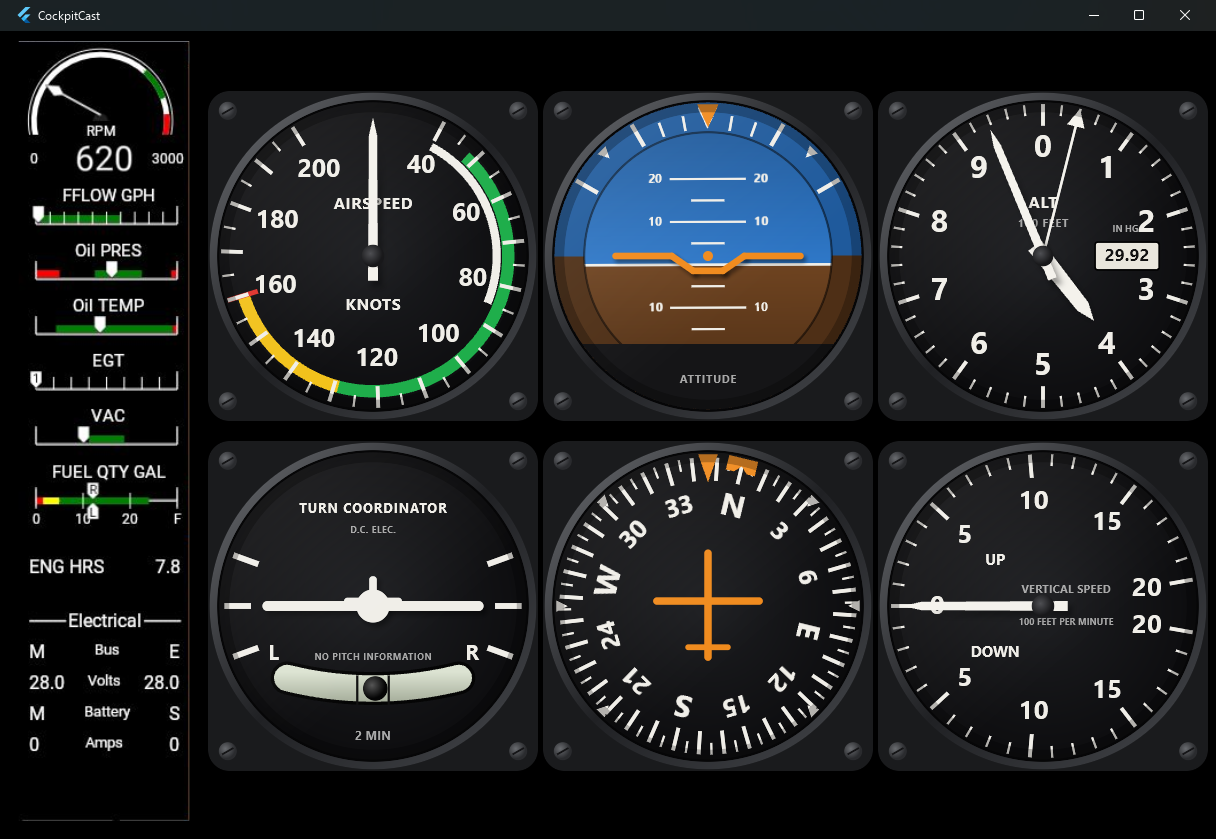
Crop any part of any display and place it among steam gauges. Here the G1000's engine strip sits next to a classic six-pack, all live.
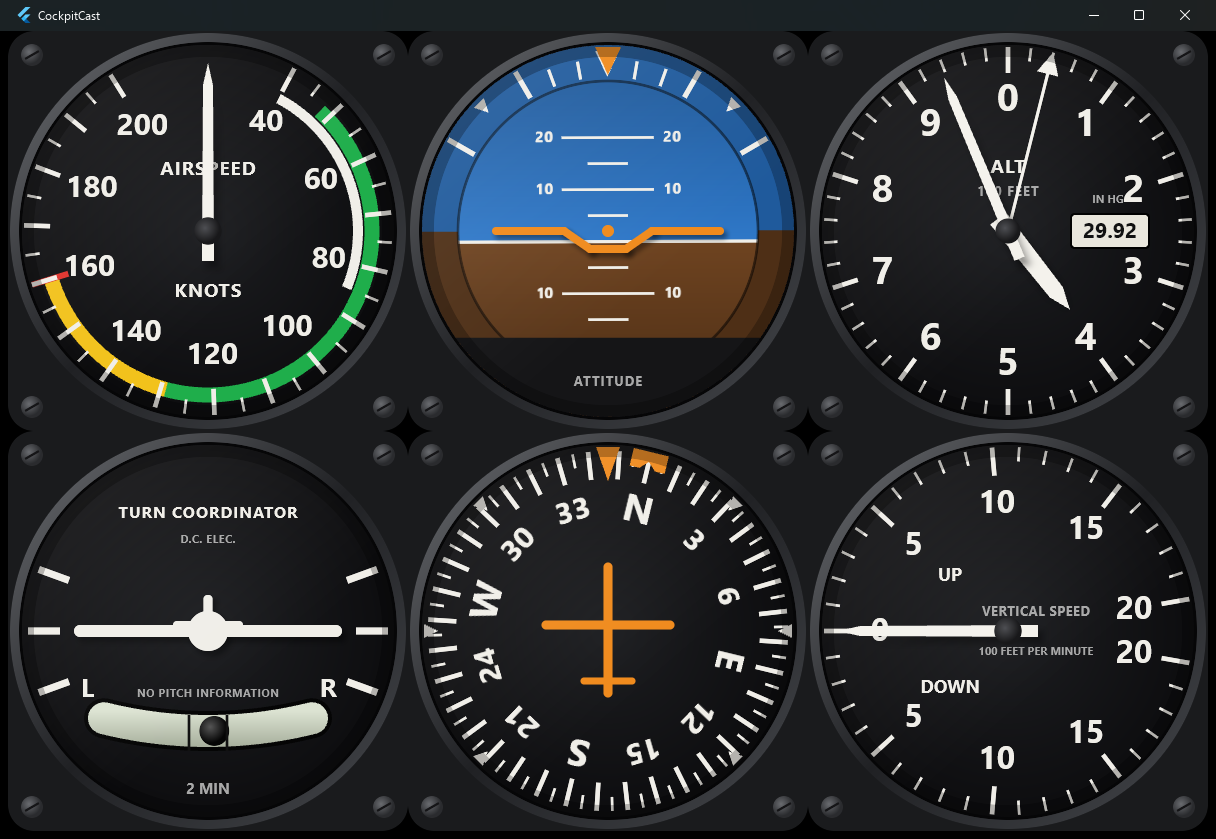
Steam gauges are drawn by CockpitCast from SimConnect data: airspeed, attitude, altimeter, turn coordinator, heading, VSI, VOR/ILS, ADF, clock and engine dials.
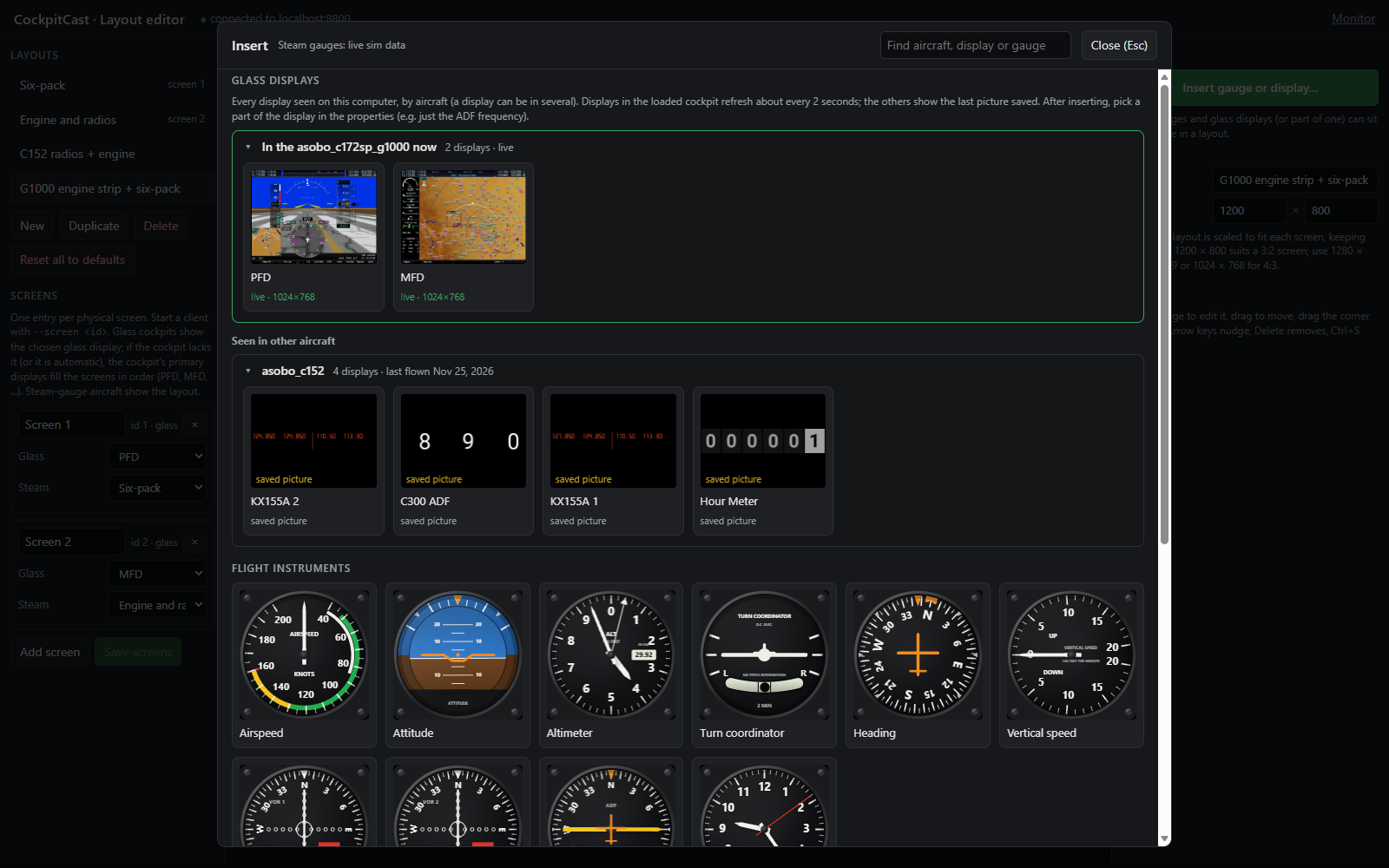
The editor is part of the CockpitCast window on the sim PC. Its Insert window shows the displays of the aircraft you are flying, live, and every display you have flown before, grouped by aircraft.
Pick a display, drag a box around the part you want, and save. Every screen using that layout updates at once.
Installed in a few minutes. Step-by-step: the guides.
It sits in the tray, builds a small Community package for MSFS from your own install, and captures the displays your screens need.
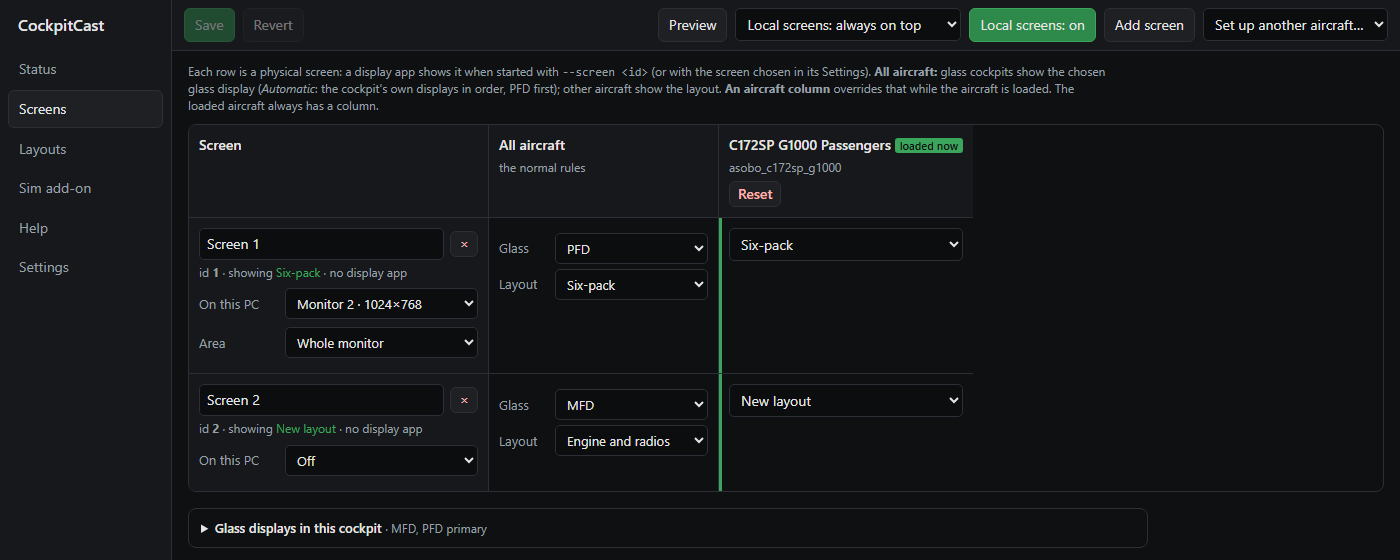
A monitor on the sim PC: pick it under On this PC in the Screens section. Nothing else to install. Another device: install the display app there and pick "Screen 1", "Screen 2"… once.
Screens show glass displays or steam gauges depending on the aircraft. Fine-tune anything in the CockpitCast window.
Status, screens, layouts, the sim add-on, help and settings in one window, opened from the tray icon. A status bar shows at a glance whether the sim, the add-on and the capture are working.
Each screen goes to a monitor on the sim PC or to a display device, and any aircraft can have its own choices. How to set up screens.
Always the latest release. Older versions, checksums and release notes are on GitHub Releases.
| For | Download | Notes |
|---|---|---|
| Sim PC Windows 10/11 x64, MSFS 2024 |
Host installer | All you need for screens on the sim PC's own monitors. Close MSFS while installing: setup also installs the Community hook. No admin rights needed. |
| Display PC Windows 10/11 x64 |
Client installer or portable zip |
Only for screens on another computer. Includes everything it needs. The zip runs without installing. |
| Linux PC x64 |
Client for Linux | Unpack and run cockpitcast. Needs GTK 3. |
| Raspberry Pi Pi 4/5, 64-bit OS |
Client for Pi | Desktop session needed; can start full screen at login. |
macOS: build from source, see the README.
Learned automatically the first time each aircraft was loaded.


CockpitCast is free and made in spare time. If it makes your cockpit better, a coffee helps keep it working after every sim update.
Building a commercial cockpit or simulator? CockpitCast is also available under a commercial licence. Get in touch.